![derivita-logowhite (2).png]](https://support.derivita.com/hs-fs/hubfs/derivita-logowhite%20(2).png?height=25&name=derivita-logowhite%20(2).png)
For teachers: the Standards Analysis tab is the full list — every standard your students have touched, with the share who've reached mastery — so the ones to reteach rise to the top.
Get there- Open your teacher dashboard.
- Click the Standards Analysis tab.
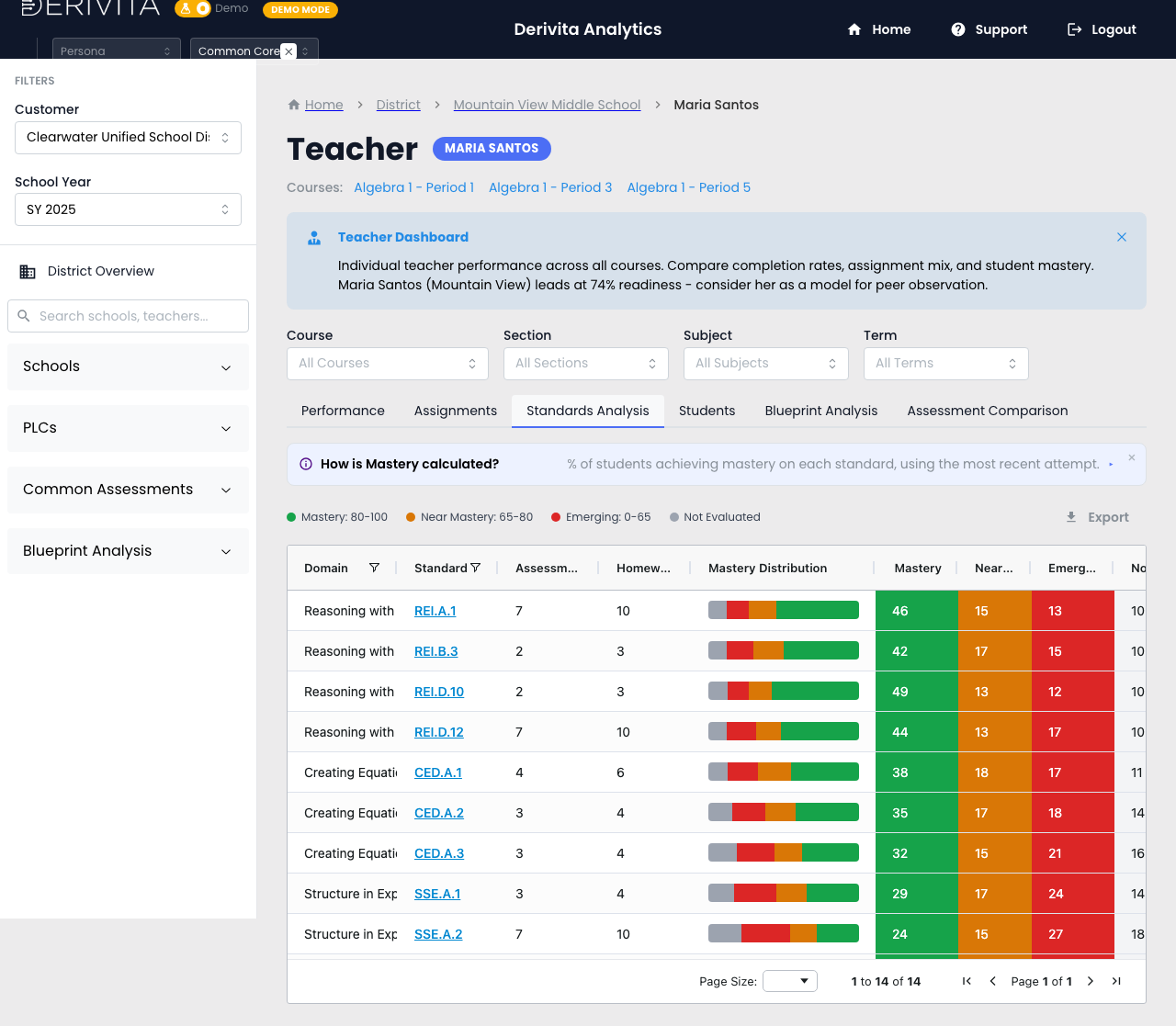 Teacher Standards Analysis — every standard by mastery, grouped by domain
- One row per standard — 14 of them here — grouped by Domain, showing the % of your students at mastery on their most recent attempt.
- The bands are the same everywhere: Mastery 80-100, Near Mastery 65-80, Emerging 0-65.
- Sort by mastery ascending and the weakest standards sit at the top — that's your reteach queue, ranked. Everything is scoped to your students, not the school or district.
Sort by mastery, take the top row, and click the standard to see exactly which students are behind on it (that opens the standard detail). Reteach from the top of the list down.
▶ VIDEO
Related- The quick version: What to do Monday — your reteach list
- Drill in: How is this standard doing?
- Who's behind: Your Students tab