![derivita-logowhite (2).png]](https://support.derivita.com/hs-fs/hubfs/derivita-logowhite%20(2).png?height=25&name=derivita-logowhite%20(2).png)
For teachers: the assessment replay is one student's actual attempt, item by item — what they answered, what was correct, and where the thinking broke down. It turns "they got a 60" into a conversation you can have with the student.
Get there- Open a student's profile, then their All Assignments list (or click a student's name in an assignment's Student Answers).
- Click an assessment to open its replay for that student.
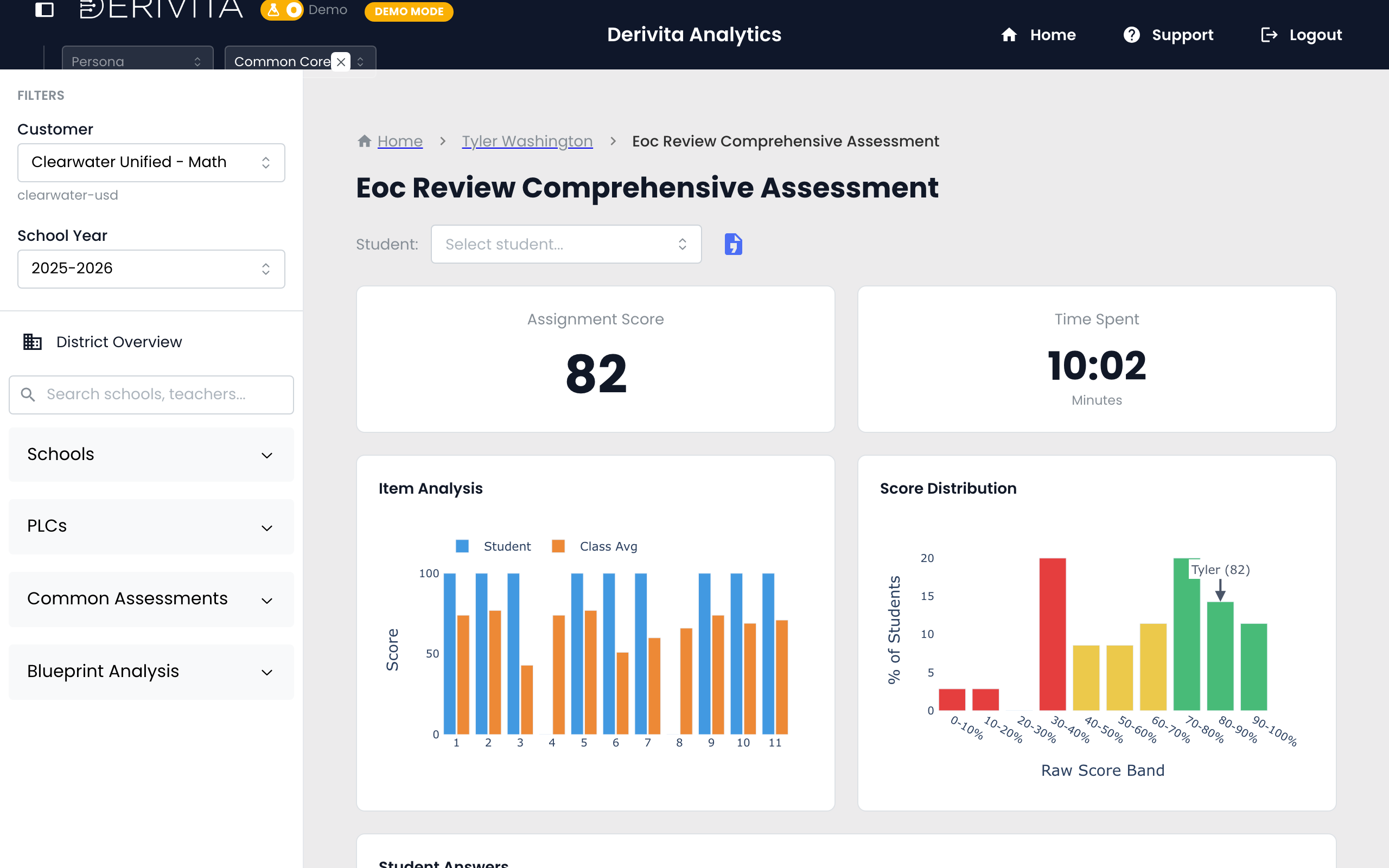
- The replay steps through the assessment question by question, showing the student's response against the correct answer, marked right or wrong.
- A Student Answers strip shows one colored chip per question — green for correct, red for wrong — so this student's pattern is visible at a glance.

- Click any question chip to open an Answer Preview: the skill the item assesses and its rigor (DOK and SOLO), then the exact item, this student's answer, and the correct answer side by side — so a wrong chip turns into "here's the question, here's what they picked, here's what was right."
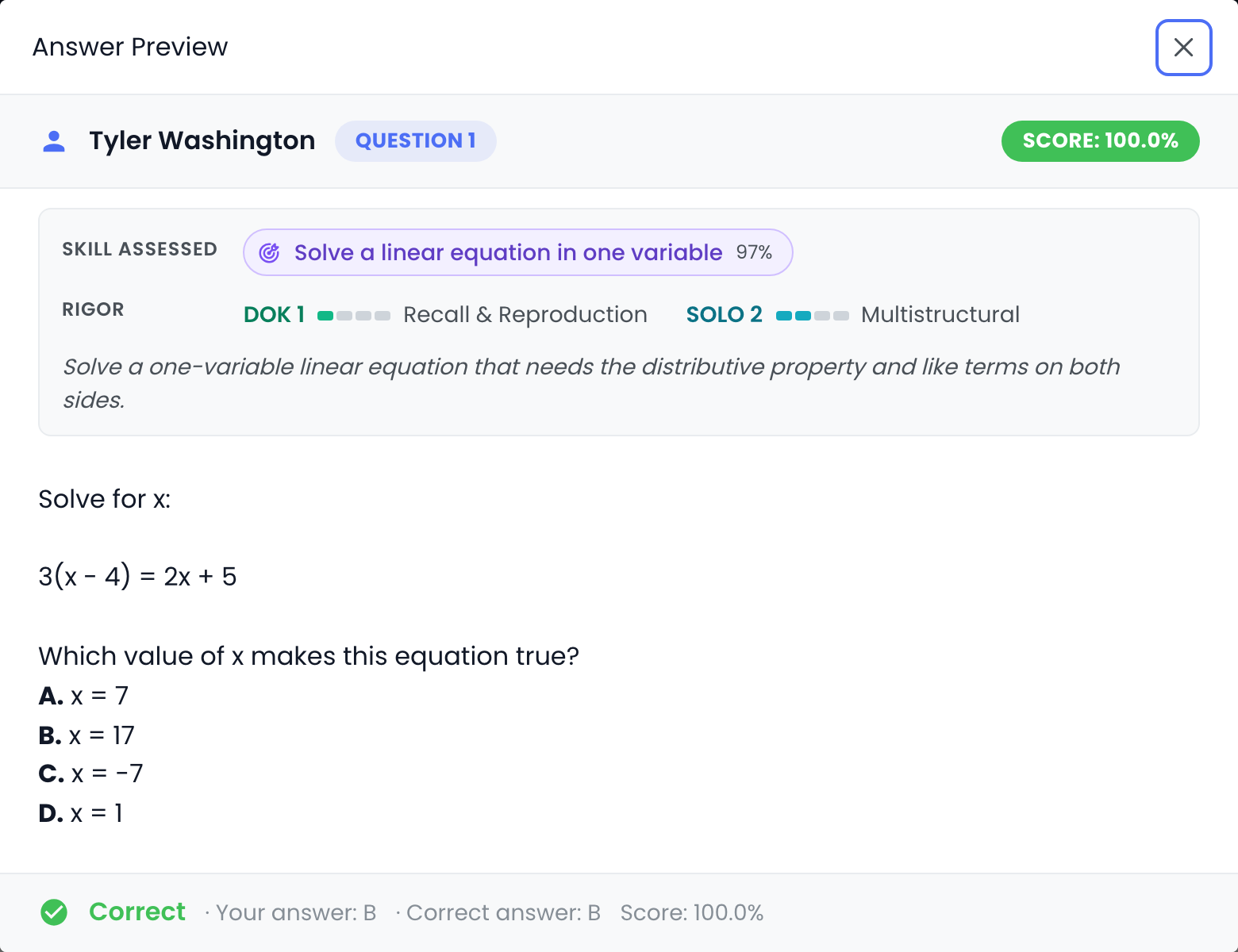
- Because it's scoped to one student, you see their pattern — the specific items and the specific missteps, not a class average.
- If the student never turned it in, the replay shows a clear Not-submitted frame instead of a blank or zeroed result — so "didn't submit" reads differently from "submitted and struggled," and you don't misread a missing attempt as a low score.

- It's the individual counterpart to the class-level Distractor Analysis: same items, one student's path through them.
Open it side by side with the student in a conference: walk the questions they missed, name the misconception together, and assign the reteach. It's the most concrete, least abstract view of "here's what to work on."
Related
- The student's whole picture: How is this student doing?
- The class version: Question Replay
- Where wrong answers cluster: Distractor Analysis