![derivita-logowhite (2).png]](https://support.derivita.com/hs-fs/hubfs/derivita-logowhite%20(2).png?height=25&name=derivita-logowhite%20(2).png)
What's in it for you? Data at your fingertips that shows, close to real time, how your students are doing and how ready they are for the end-of-course exam — which standards to work next, and whether they're improving. It's your single tracker for EOC success.
What it gives youAll in one view, for your students:
Readiness · Attainment · Coverage — how on-track your students are for the exam, how well they've mastered what you've actually taught (attainment), and how much of the blueprint you've covered so far.
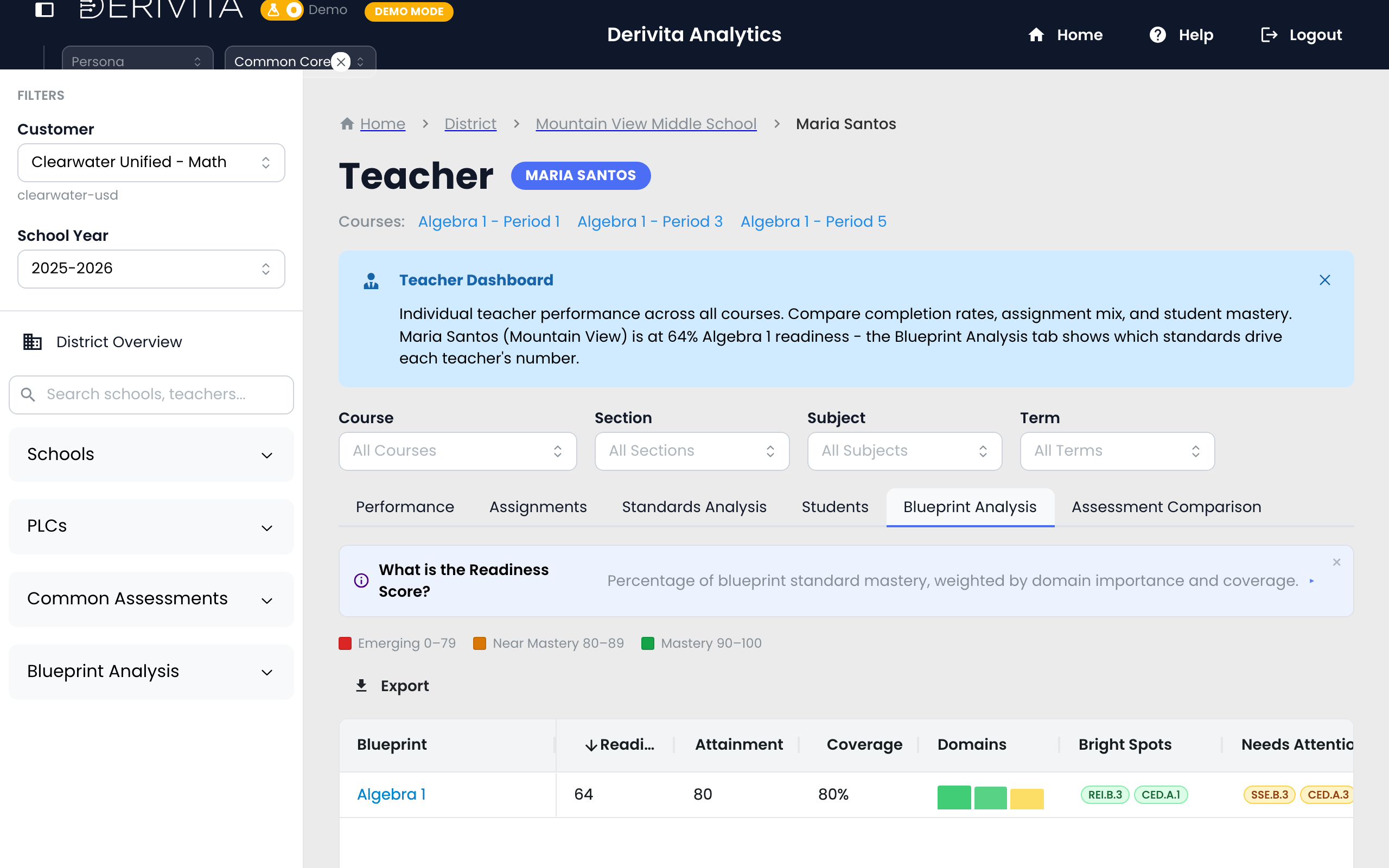
Standards Performance (impact) — exactly which standards are having the biggest effect on your students' readiness, so you know where the next hour of reteaching moves the number most. (See Understanding Impact Scores.)
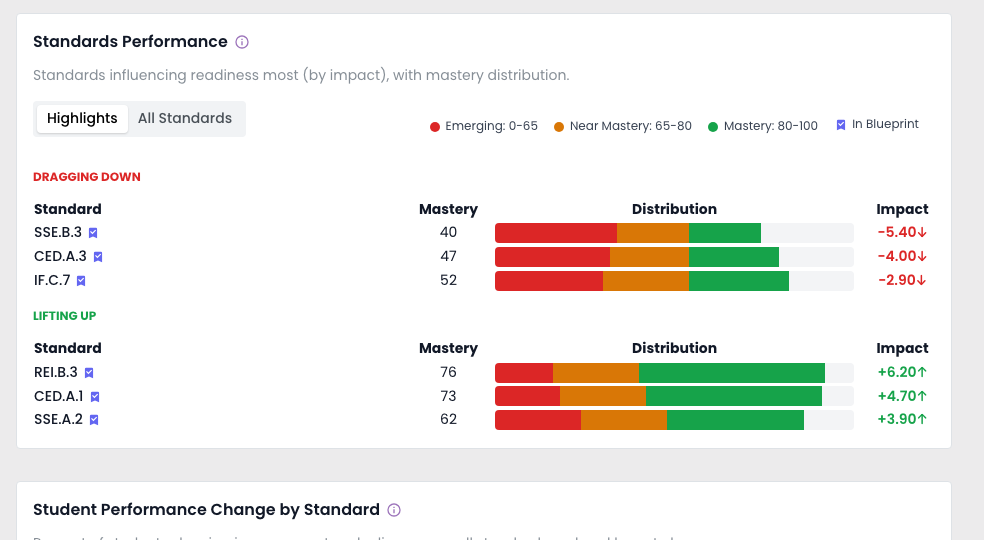
Student Performance Change by Standard — the trajectory: which standards students are improving on and which are sliding back.
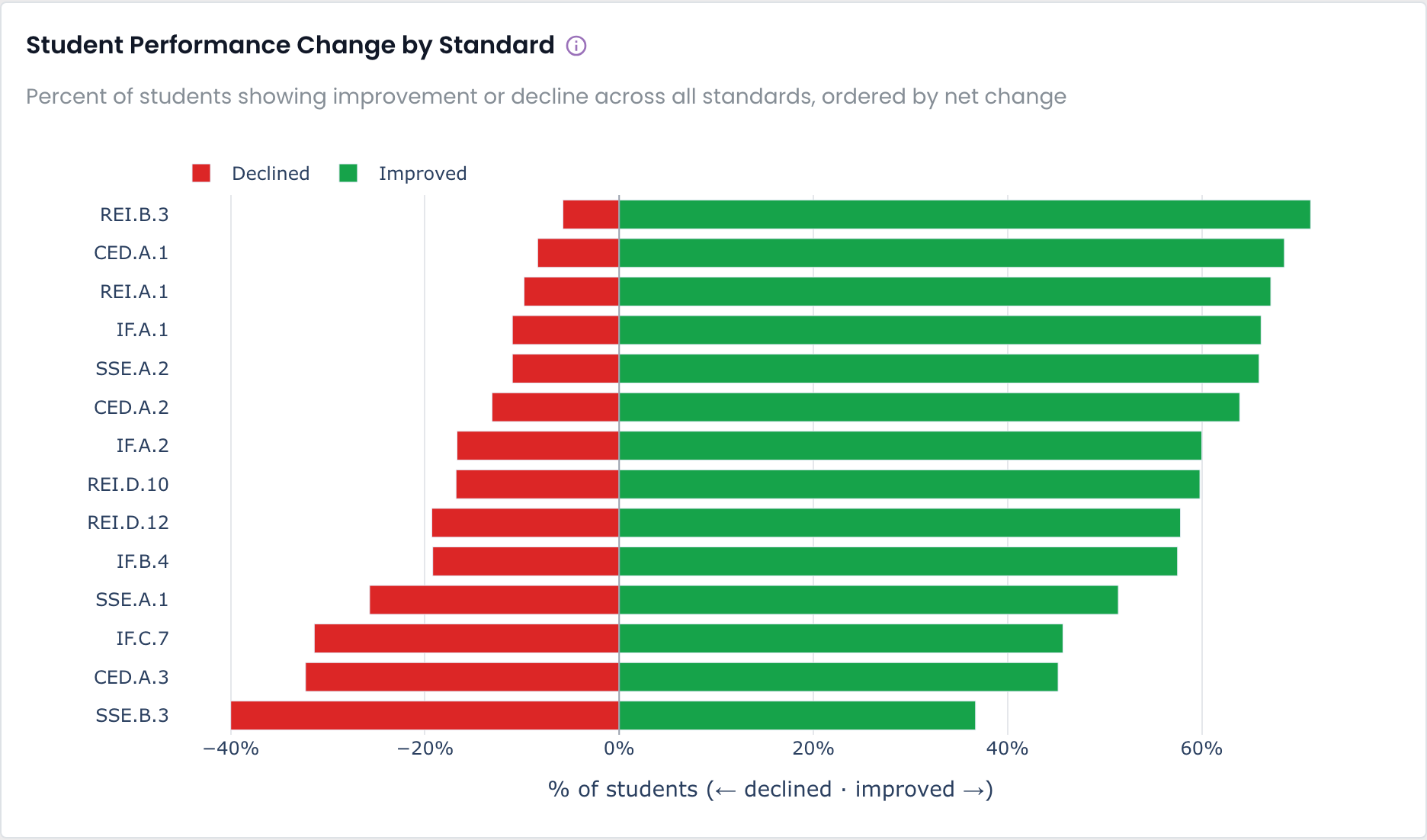
Unlike a gradebook, it answers what to do next — not just what happened.
How to feed it: assign as Quiz or ExamBlueprint Analysis is built from scored assessments, so there's one thing you have to do to get this data: assign your work as a Quiz or an Exam — not as Homework. Homework tracks activity (great for practice), but it doesn't produce the standard-level mastery that Blueprint Analysis reads.
The good news: a Quiz or Exam doesn't have to be a big test. A quick check or an exit ticket assigned as a Quiz counts just the same — every scored, standards-tagged assignment adds to the picture. The more of your assessing you route through Quiz/Exam, the richer your blueprint data gets.
Why it mattersTwo things have to be true to see readiness: 1. a blueprint is configured for your exam (your EOC — or whichever state exam your district's blueprint targets), and 2. your assignments are Quiz or Exam type.
If a readiness view looks empty, it's almost always one of these two.
Instead of guessing, you get a live, standards-level read on EOC readiness for your own students — the same number your PLC, principal, and district see — so your reteaching time goes where it moves the exam most. Start assigning quick checks as quizzes, and the picture fills in on its own.
See it in the product Related