![derivita-logowhite (2).png]](https://support.derivita.com/hs-fs/hubfs/derivita-logowhite%20(2).png?height=25&name=derivita-logowhite%20(2).png)
For district admins and IT. Analytics shows each person the right data through mapping — users to a role and school(s), and courses to a subject and school. Here's how to check your mappings and fix the most common access issues.
How access works
- User mapping ties each account to a role (district / school / teacher) and the school(s) it can see — that's what decides whether someone lands on a district, school, or classroom view.
- Course mapping ties each course to a subject and school, so its assignments flow into the performance reports.
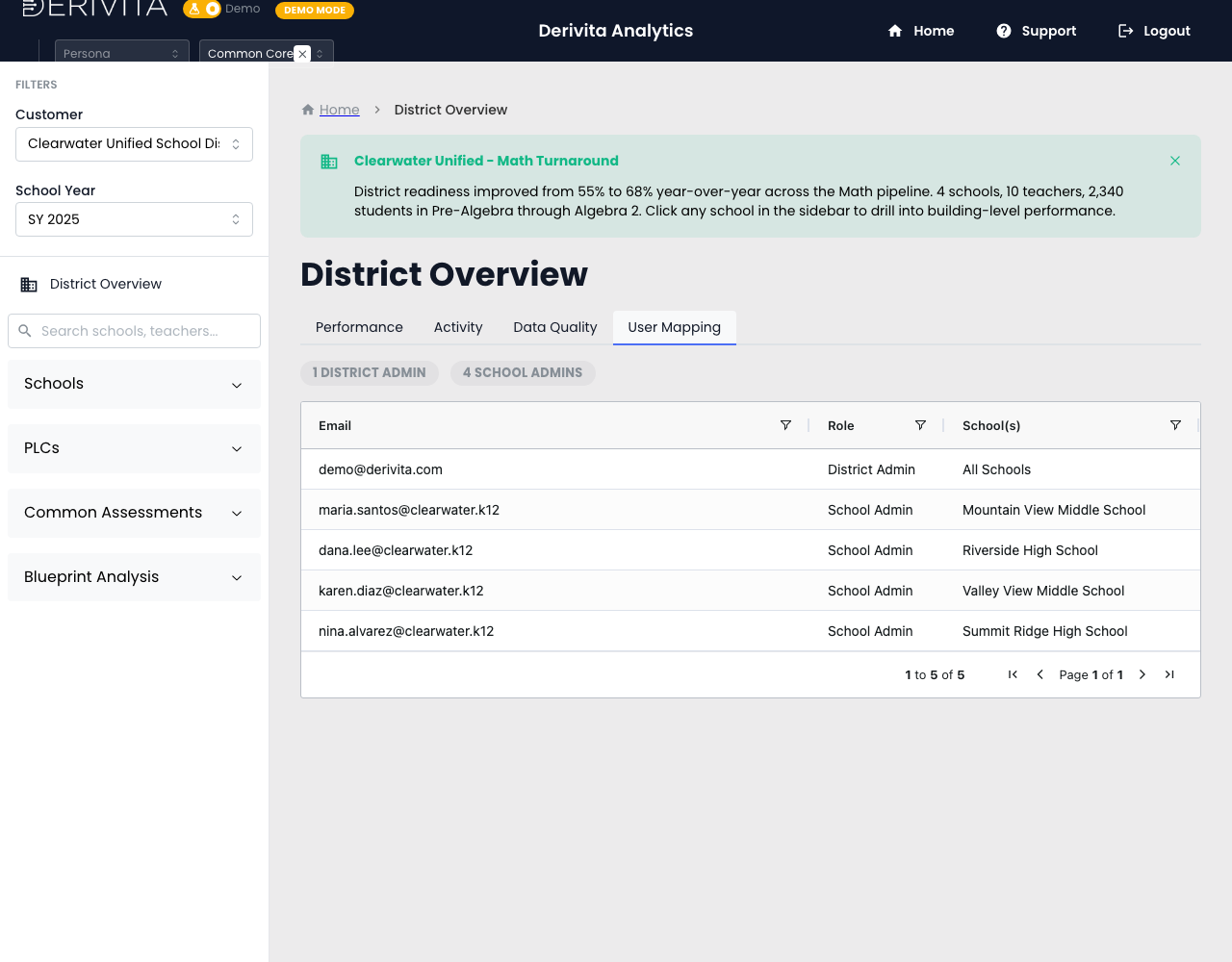
Mapping is managed by Derivita, but you can see the current state anytime in District Overview:
- User Mapping tab — every account with its Email · Role · School(s).
- Data Quality tab — courses that have activity but aren't mapped yet; principals see the same check, scoped to their building, on School Overview → Data Quality (see What's excluded from the reports).
Common situations — and how to fix them
| What you're seeing | What it usually is | What to do |
|---|---|---|
| A user should have school-level access but doesn't | Not yet mapped to that school/role | Send us their email, role, and school |
| Launch → blank dashboard | The email your LMS passes on launch doesn't match a mapping | Check the User Mapping tab for that email; if it's missing or changed, send us the correct one |
| A teacher sees "No data yet" | Their classes have no processed activity yet (a new teacher or first course), or the launch email doesn't match | Give it a day — data usually appears the day after their classes' first activity. If it persists, check that email on User Mapping and send us the correct one |
| User Mapping shows no names / people missing | Email domain changed (e.g. over the summer) | Send old → new emails (or the new domain) so we can remap |
| A course's data is missing from reports | Course isn't mapped to a subject/school | Use Data Quality to spot it, then assign the subject/school (or send us the list) |
| A school appears twice / split | Duplicate school names in the source | Send us the two names to merge |
| Someone no longer needs access | Mapping should be removed | Send us the email(s) to remove |
How to request a change
Mapping changes are applied by Derivita. Contact your Partner Success Manager or support with:
- your district (classroom key, e.g.
classroom@yourdistrict.org), - the user email(s) — include old and new if they changed,
- the role (district / school / teacher) and the school(s).
We'll apply it and confirm. One tip: a surprising or low readiness number is often a mapping gap, not a real dip — check Data Quality before you read into it.