![derivita-logowhite (2).png]](https://support.derivita.com/hs-fs/hubfs/derivita-logowhite%20(2).png?height=25&name=derivita-logowhite%20(2).png)
How do I add a TI Calculator?
- Open the assignment
- In the top right, click the pencil icon ("Edit assignment")
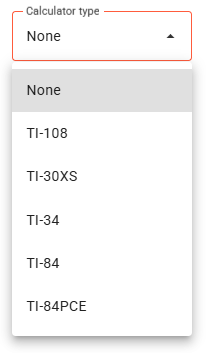
- Go down to Calculator type to pick a calculator model:
- Click Save
What does the student see?
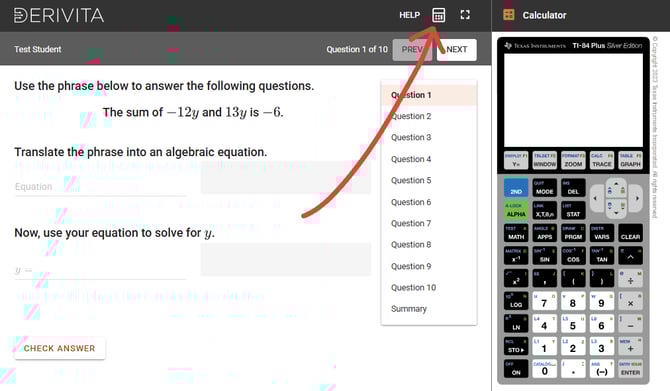
The student clicking the calculator icon in the top right corner to open the calculator: