![derivita-logowhite (2).png]](https://support.derivita.com/hs-fs/hubfs/derivita-logowhite%20(2).png?height=25&name=derivita-logowhite%20(2).png)
For assessment coordinators: Student Export turns the dashboards into rows — per-student assessment results for whatever slice you filter to, ready to hand off or drop into another system.
Get there- Open Common Assessments in the sidebar.
- Switch to the Student Export view.
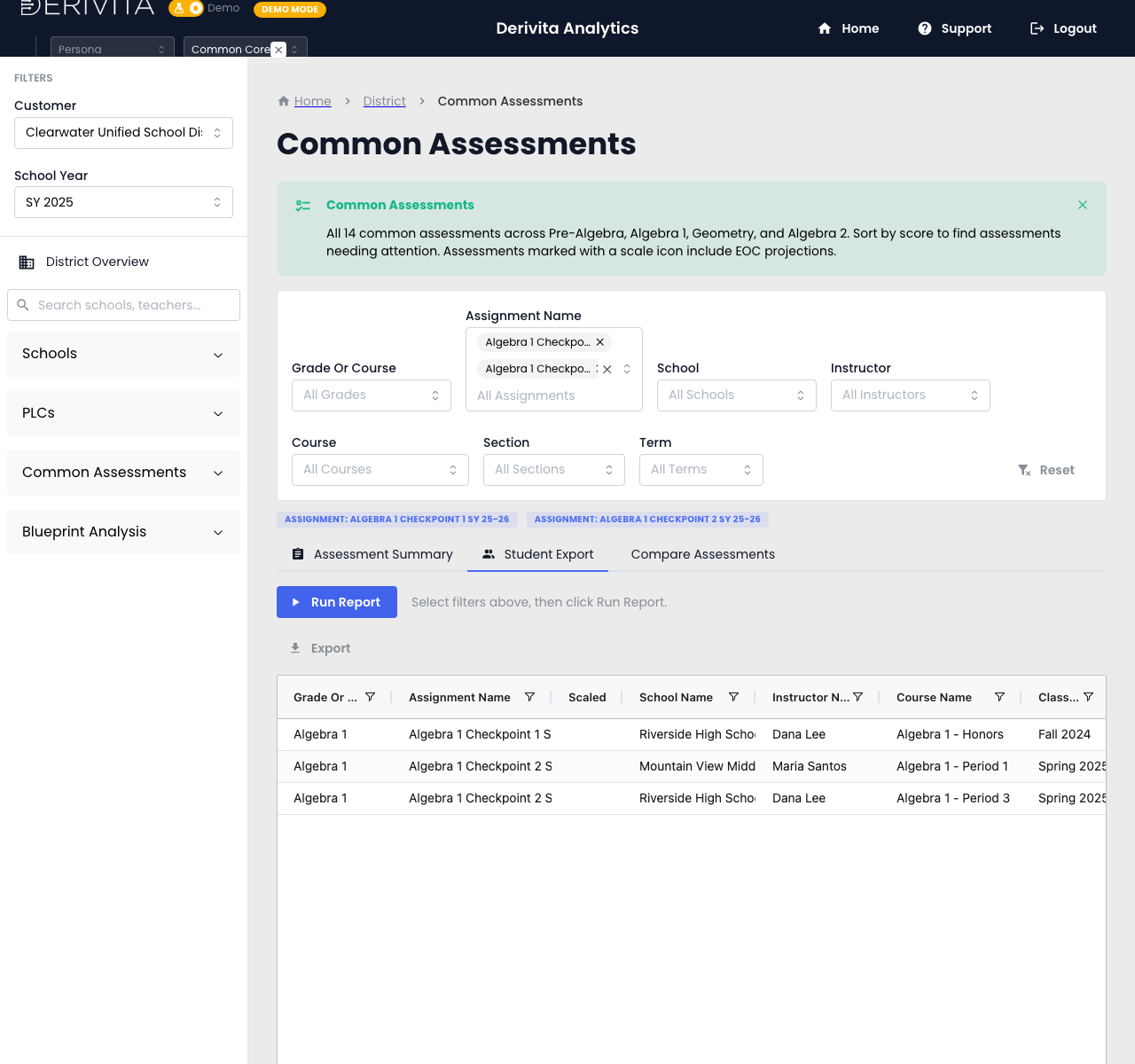 Student Export — filter, then Run Report to pull per-student assessment rows
- Set the filters at the top — grade/course, assessment, school, instructor, section, term — to scope exactly the slice you need.
- Click Run Report and the per-student rows appear; Export downloads them.
- Unlike the summary and comparison views, this is the underlying data — one row per student per assessment — for a coach, an SIS import, or your own pivot.
Filter to the exact cohort in question, Run Report, then Export — that's the handoff artifact. Use the summary/compare views to find the story; use this to move the data.
Related- The program list: Our assessment program at a glance
- Compare over time: Compare up to four assessments
- One assessment's detail: How did this assignment perform?