![derivita-logowhite (2).png]](https://support.derivita.com/hs-fs/hubfs/derivita-logowhite%20(2).png?height=25&name=derivita-logowhite%20(2).png)
How to turn on Show Work
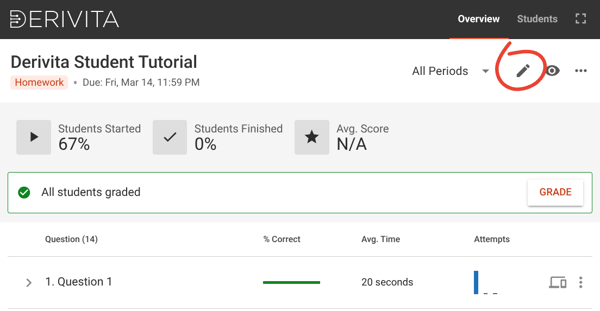
- Open the assignment, then click the pencil icon to edit it:
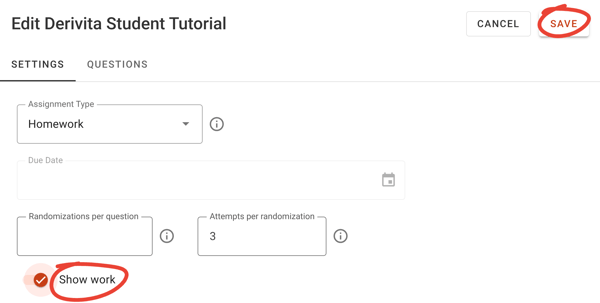
- Turn on the toggle next to Show Work, then click Save:
How students upload images of their work
You can see what it's like for a student to upload their images in this video:
How to see which students have uploaded images so far
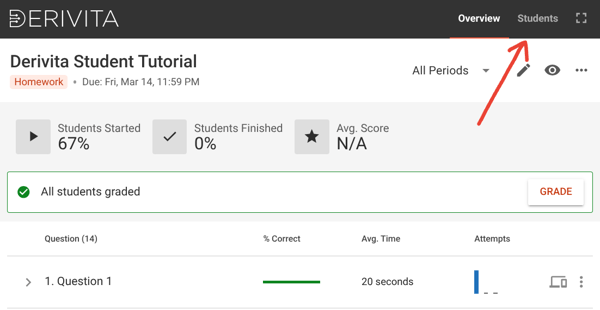
- Open the assignment, then click Students:
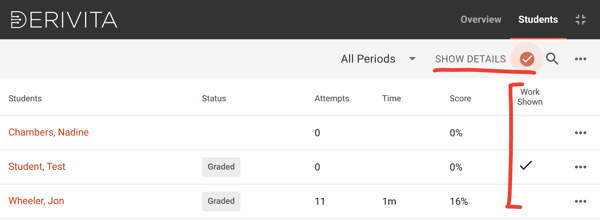
- Turn on Show Details to see which students have already added pictures:
How to view a student's images
You'll be able to see the pictures of the student's work as you grade their assignment. See how:
How to grade in Derivita | Derivita Support Center