![derivita-logowhite (2).png]](https://support.derivita.com/hs-fs/hubfs/derivita-logowhite%20(2).png?height=25&name=derivita-logowhite%20(2).png)
For client-facing / onboarding / support teams. This is the operational companion to the PowerSchool API change — PSM briefing: the firm dates, exactly what a district sees and does on the new Data Export Manager path, and how to answer the tickets this will generate. For strategy and the "which path do we recommend" framing, read the briefing.
What's changing, in one lineFor new PowerSchool connections without a PowerSchool partnership, the default rostering method becomes Data Export Manager (DEM) — a secure, nightly CSV-over-SFTP export — instead of the API/plugin method. Same roster data, delivered a different way.
The firm dates- August 24, 2026 — both options are visible in the RosterStream Connection Request flow: PS API and PS Data Export Manager. This dual-tile view is temporarily enabled for everyone starting this day.
- September 1, 2026 — districts without a PowerSchool partnership default to DEM only; the API tile no longer appears for them. Districts with a reported partnership keep both tiles and choose.
- No change for existing connections — current PowerSchool API (plugin) connections keep working as configured, untouched until June 2027. Migration and partnership options for existing customers are a later, separate conversation.
- The wizard doesn't change. Same flow, same screens. The only difference is which connection tile(s) appear on the Connection Setup step — one, the other, or both, depending on partnership status.
- The data doesn't change. It's the same underlying rostering data regardless of method, and it behaves identically once it reaches our platform.
- Districts still download a set of instructions and a plugin during setup — just a different, DEM-specific set. Those are delivered automatically through the wizard; no one on our side has to send them.
The only visible difference is which connection tile(s) appear on the Connection Setup step. Use this progression as your before/after reference:
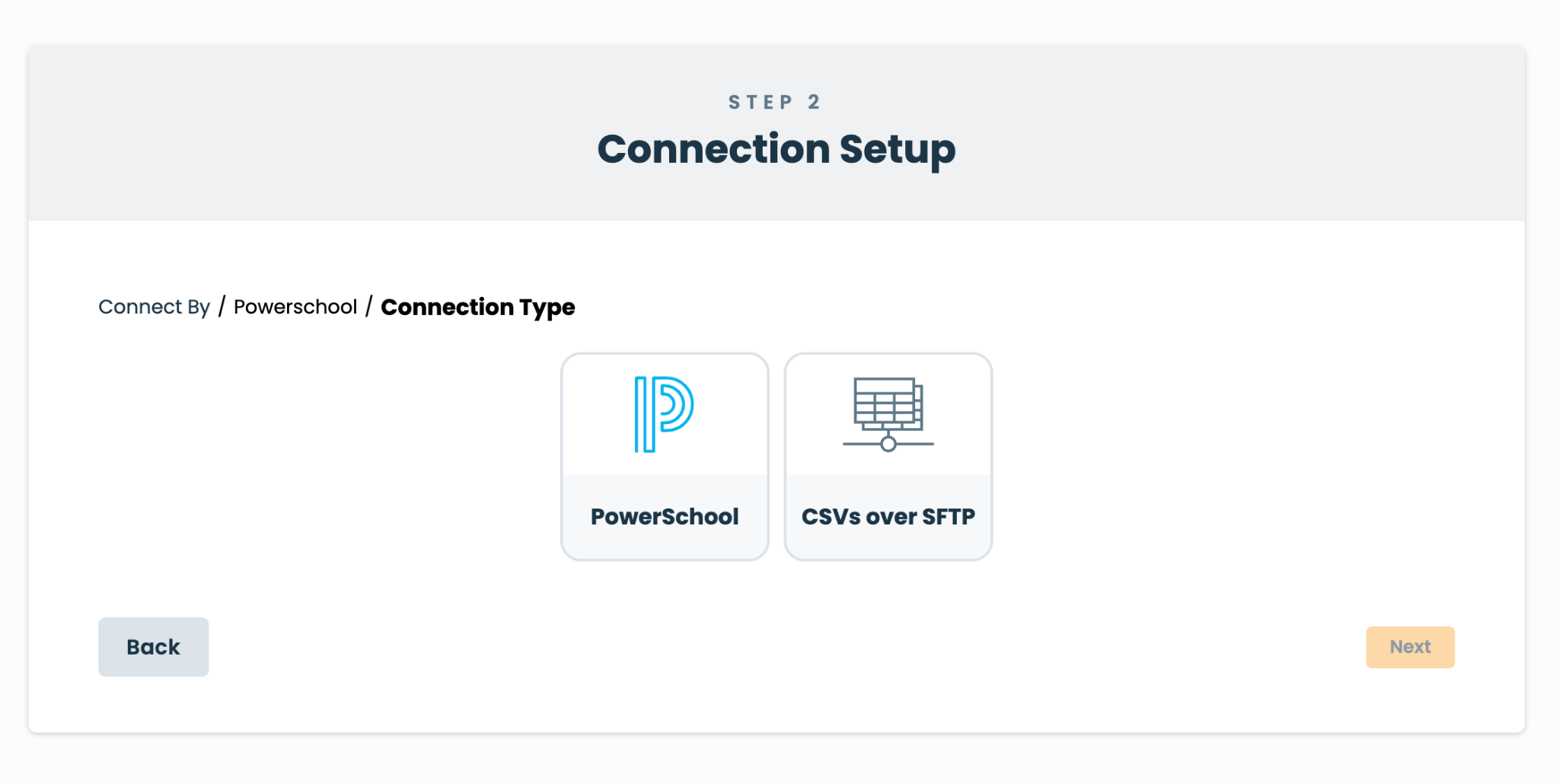 Today — the district sees the PowerSchool (API) tile and the CSVs over SFTP tile
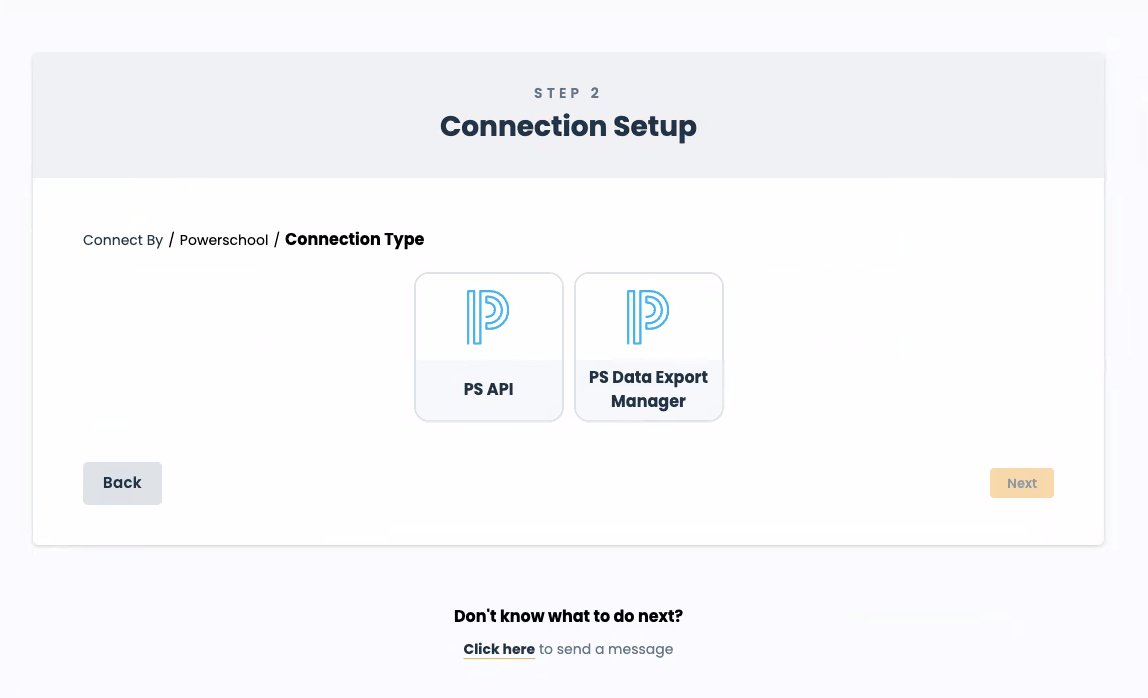 Aug 24 — both PowerSchool options appear: PS API and PS Data Export Manager (temporarily enabled for everyone)
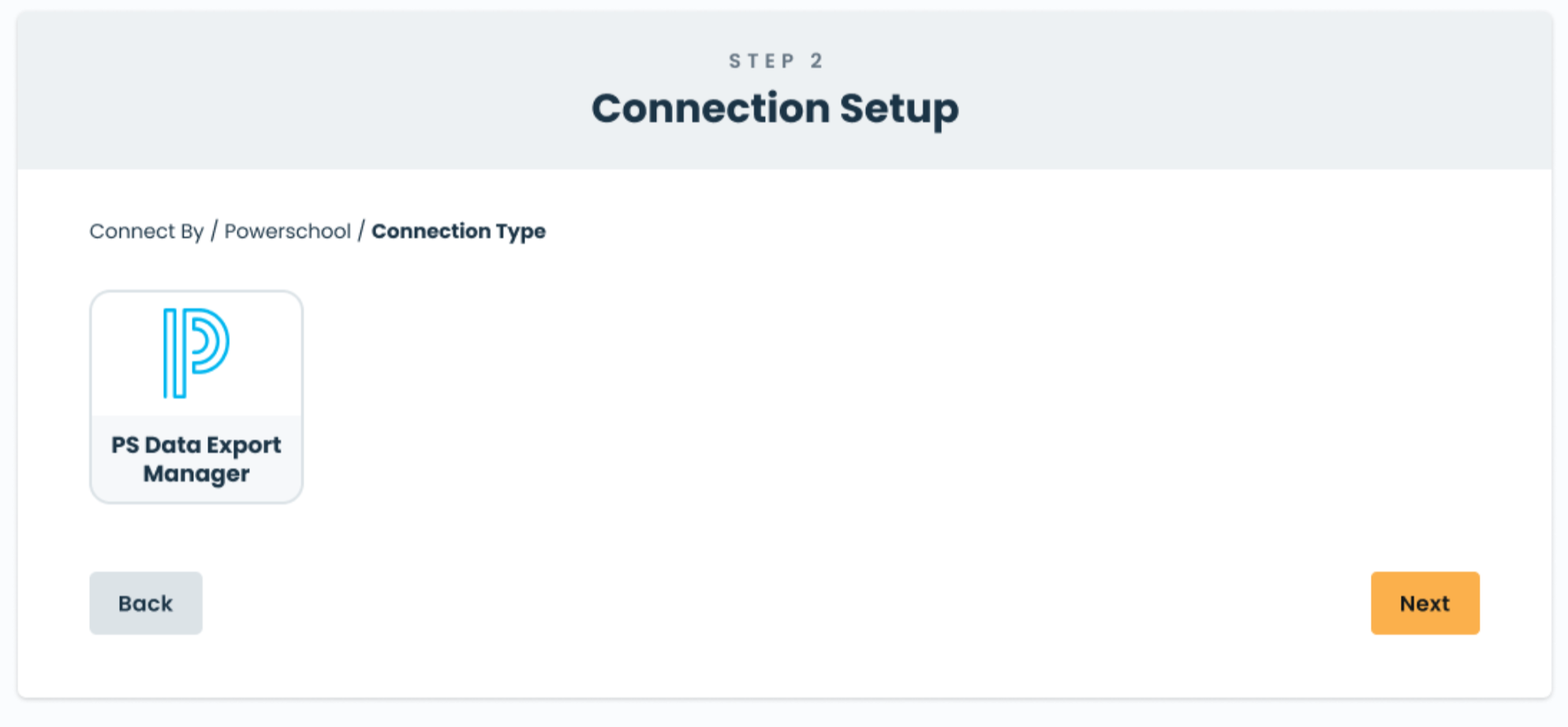 Sept 1, without a partnership — only the PS Data Export Manager tile appears
This is the part that's new. After a district picks (or defaults to) the Data Export Manager tile:
- Downloads the DEM instructions and the rostering plugin, and generates SFTP credentials on the secure setup page (Host, Username, Port, Password — shown once).
- Creates the SFTP connection in PowerSchool with those credentials — skipped if SFTP is already configured.
- Installs and enables the PowerSchool Rostering Queries plugin, then approves the data access PowerSchool prompts for.
- Builds one export template per rostering query in Data Export Manager (~2 min each), using the provided queries and three required output settings (UTF-8, column headers on, values quoted).
- Schedules each export to run nightly at the same time, pointing it at the SFTP connection.
- Confirms each scheduled export shows "Completed." Unlike the API method, there's no credential to hand back — just a confirmation that exports are running.
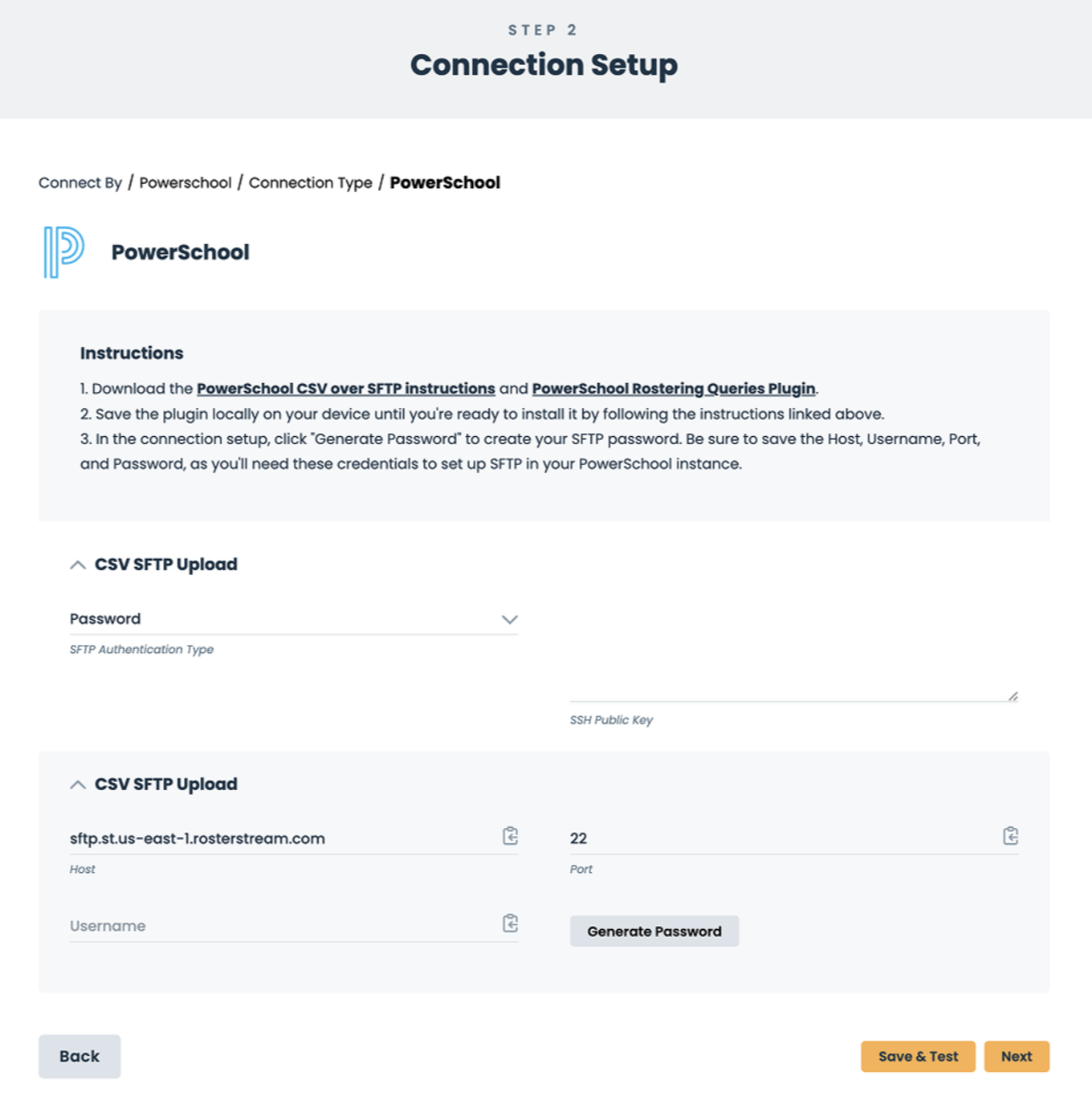 The DEM connection setup form the district sees — download links for the instructions and plugin, and Generate Password to create SFTP credentials
The full district-facing walkthrough is the customer how-to: Set up PowerSchool rostering with Data Export Manager — safe to send to a customer who's setting up DEM.
The partnership optionIf we've reported a PowerSchool partnership to Ednition, that district's admins keep the choice between the API and DEM paths. Ednition now has a path to help us onboard to a PowerSchool partnership, including faster onboarding support and a discounted framework for our customers. Pricing is still being finalized — so start the conversation, but don't quote numbers or promise terms. If a customer wants to keep the plugin, flag it and we'll bring them into that conversation.
Talk track (for the tickets this generates)"Nothing about your current PowerSchool connection changes — it keeps syncing exactly as it does today. What's new is how new connections are set up: PowerSchool's secure nightly export (Data Export Manager) is now the default. It's the same roster data, and we have step-by-step instructions that walk your PowerSchool admin through it in about 20–30 minutes."
- "Did my connection break / do I need to act now?" → No. Existing connections run unchanged through June 2027.
- "Why the change?" → PowerSchool is moving its default connection method; DEM is a secure CSV-over-SFTP export PowerSchool keeps free. Keep it factual and calm.
- "Is my data less secure / different now?" → Same data, same behavior on our end; DEM is a secure SFTP transfer.
- Keep pricing and partnership specifics off the table — several pieces are still firming up. Same discipline as communicating the roadmap.
Ednition assembled a pack for our frontline teams: this rollout summary, the district DEM setup instructions (the same PDF the wizard auto-delivers), and a short asynchronous course — "Supporting Customers Through the PowerSchool CSV/SFTP Rostering Switch" — with a talk track and a knowledge check.
Do not share the Ednition enablement pack (course, internal guide) directly with customers. The district-facing setup instructions are fine — the wizard delivers them anyway, and our customer how-to mirrors them.Related
- PowerSchool API change — PSM briefing — the strategy: recommended paths, ClassLink-first, and the full customer talk track.
- How to communicate the roadmap — the same "don't over-commit on evolving specifics" discipline.
- Customer-shareable: Set up PowerSchool rostering with Data Export Manager · Roster integrations: ClassLink and PowerSchool