![derivita-logowhite (2).png]](https://support.derivita.com/hs-fs/hubfs/derivita-logowhite%20(2).png?height=25&name=derivita-logowhite%20(2).png)
For instructional coaches and PLC leads. Before a course starts, look at how this year's students did in the prerequisite course last year — the gaps they carried in are your head start. Here's the exact path, using an Algebra I team looking back at last year's Pre-Algebra.
Last updated: August 2026
The play
Your incoming Algebra I students just finished Pre-Algebra. Their Pre-Algebra results — where the class struggled, and which wrong answers clustered — tell you what to reinforce in the first weeks of Algebra I. You can pull that in a few clicks, before students even arrive.
Step by step
- Open the school from the sidebar.
- In the sidebar, set the Subject to the prerequisite course (Pre-Algebra) and the School Year to last year. (The School Year dropdown lists only years that actually have assignment data, so every option is one you can open.)
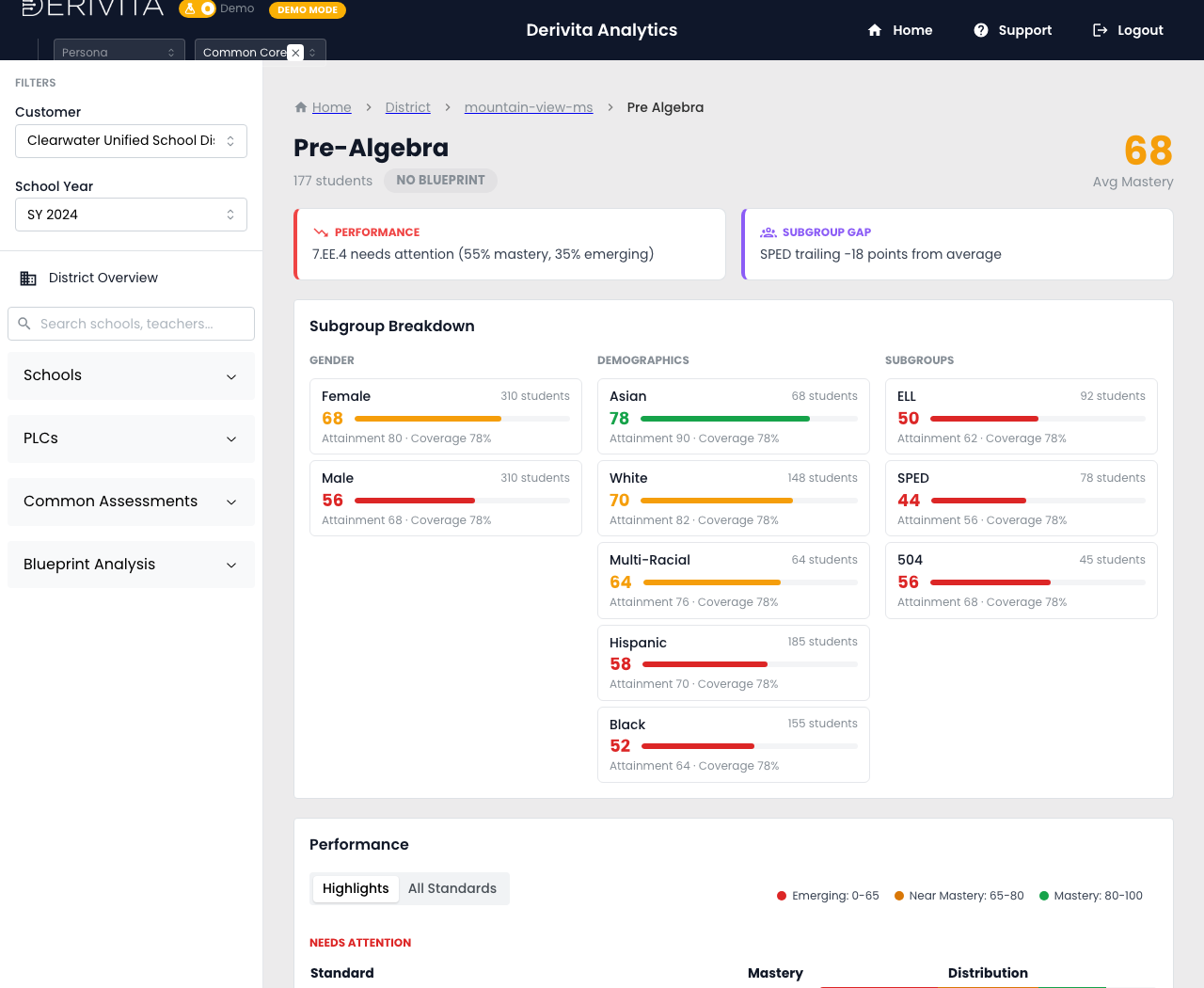
- Open the subject page — Pre-Algebra's full picture for last year: coverage, performance, teacher breakdown, and subgroups (see Your subject's full picture).
- Drill into a common assessment the team gave last year (from the assessment history).
- Open Question Replay on the questions that mattered — the answer distribution shows the broad misconception trends: where the class clustered on one wrong answer, not just that they missed it (see Question Replay).
What to carry into planning
- The standards the class was weakest on → the skills to spiral into your Algebra I warm-ups early.
- Clustered wrong answers → the specific misconceptions to pre-empt in your first units.
- Subgroup gaps → where to plan support from day one, not after the first test.
That's a data-backed first-unit plan built from what students already showed you — and it works for any course-to-course handoff, not just Pre-Algebra → Algebra I.