![derivita-logowhite (2).png]](https://support.derivita.com/hs-fs/hubfs/derivita-logowhite%20(2).png?height=25&name=derivita-logowhite%20(2).png)
Steps for accessing Derivita Analytics
- Visit the Derivita Analytics page at: analytics.derivita.com
- Log in using your school-provided Google or Microsoft account
- Bookmark the page for quick access to your dashboards anytime
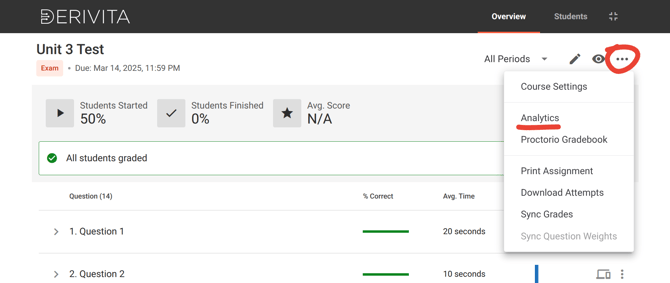
Alternately, you can click Analytics within any Derivita assignment: