![derivita-logowhite (2).png]](https://support.derivita.com/hs-fs/hubfs/derivita-logowhite%20(2).png?height=25&name=derivita-logowhite%20(2).png)
For assessment coordinators: the Common Assessments summary is every common assessment your district gives, in one sortable list — the fastest way to see which assessments need a look.
Get there- Click Common Assessments in the sidebar (or open Assessments).
- You land on the Assessment Summary view.
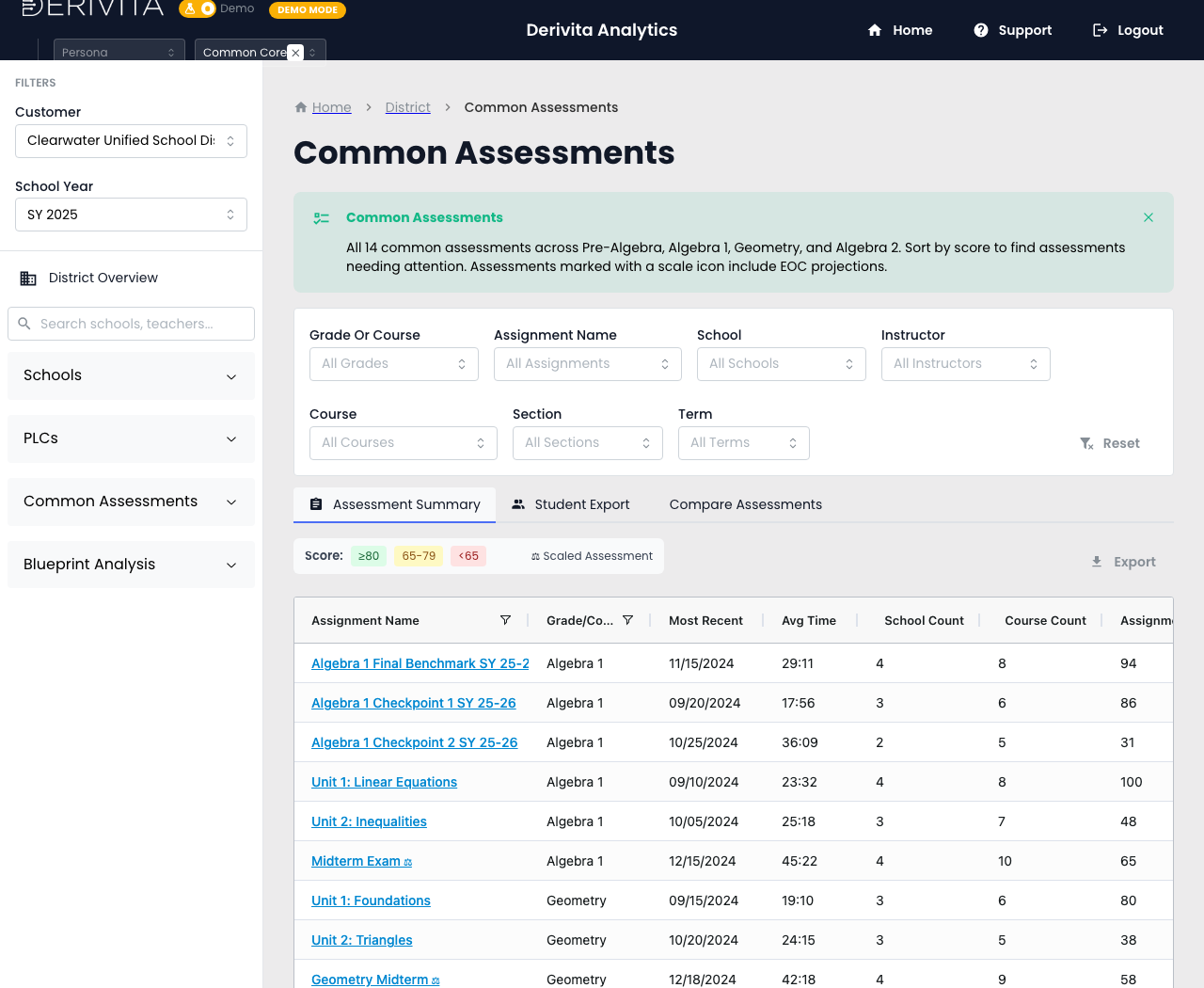 Common Assessments summary — every common assessment with score, date, and school count
- All 14 common assessments across Pre-Algebra, Algebra 1, Geometry, and Algebra 2, one row each: Assignment Name, Grade/Course, Most Recent, Avg Time, School Count.
- Scores are color-banded — ≥80 / 65-79 / <65 — so sorting by score floats the assessments needing attention to the top.
- A ⚖ Scaled Assessment marker flags the ones that carry an EOC projection (the benchmarks that predict end-of-course readiness).
- Two more views sit alongside: Compare Assessments and Student Export.
Sort by score, and open the lowest common assessment to see its item-level story (the Assignment view). The program view tells you which test to worry about; the assignment view tells you why.
Related- Compare over time: Compare up to four assessments
- Open one: How did this assignment perform?
- Can I trust them: Assessment Calibration