![derivita-logowhite (2).png]](https://support.derivita.com/hs-fs/hubfs/derivita-logowhite%20(2).png?height=25&name=derivita-logowhite%20(2).png)
For assessment coordinators: Compare Assessments lines up several assessments for the same students, so a jump between a checkpoint and the final benchmark reads as real growth — not a change in who sat the test.
Get there- Open Common Assessments in the sidebar.
- Switch to the Compare Assessments view.
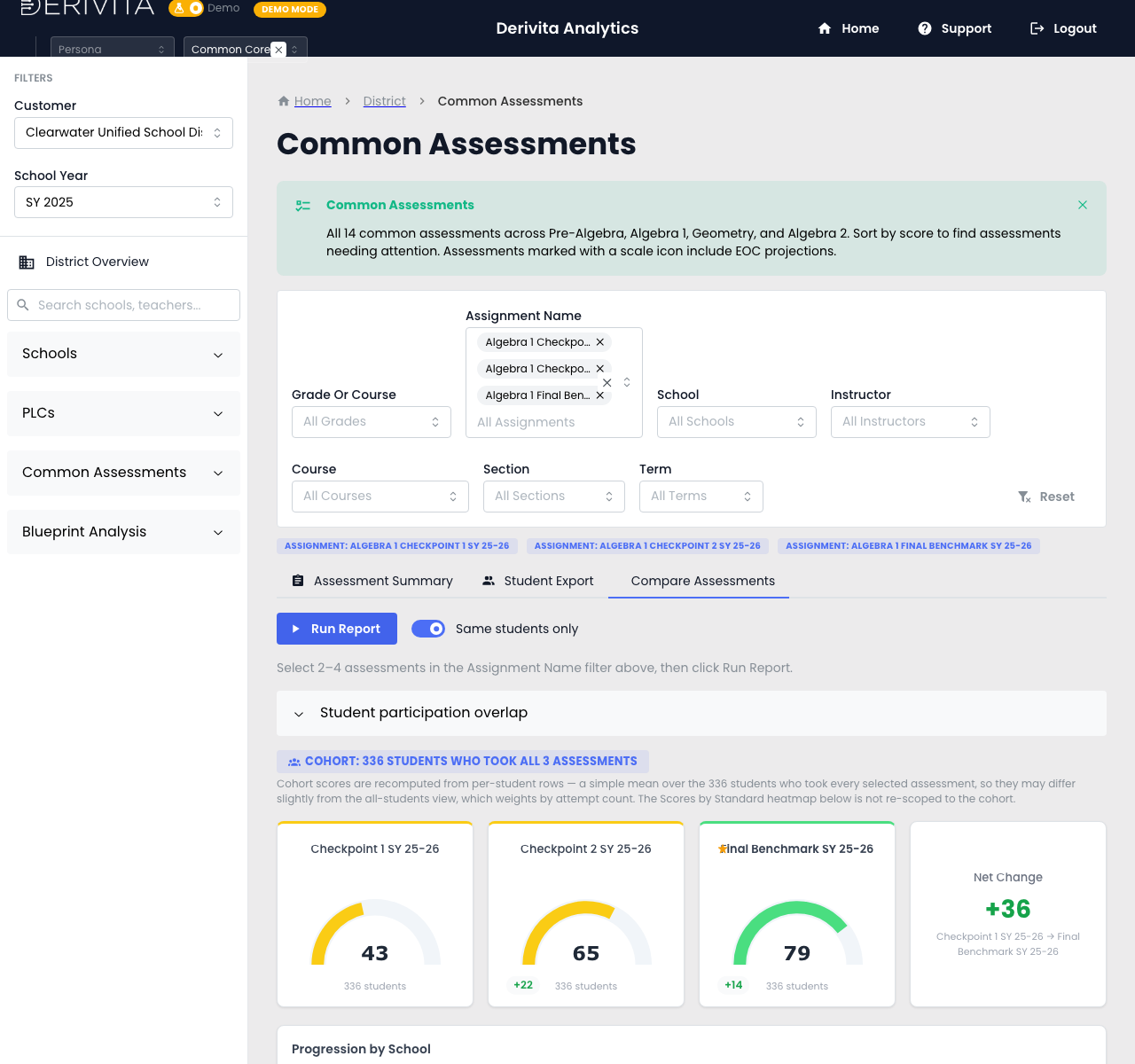 Compare Assessments — select 2-4 assessments to compare the same cohort
- Pick 2 to 4 assessments in the Assignment Name filter, then Run Report.
- You get side-by-side scores, a per-school breakdown, and a standards progression across the selected assessments.
- Turn on Same students only to restrict the comparison to the cohort that took every selected assessment; the student participation overlap tells you how many students that is.
Line up your assessment arc in order — checkpoint → checkpoint → final benchmark — flip on Same students only, and read the progression. That's the district-level answer to "is the program moving students?"
Related- The program list: Our assessment program at a glance
- The PLC version: Did the cohort improve?
- Can I trust them: Assessment Calibration